Google AdManager
Prerequisites
- Android: Google Mobile Ads SDK 20.0.0+, minSdkVersion of 19 or higher, compileSdkVersion of 28 or higher
- iOS: GoogleMobileAds 9.13+, Xcode 14.1+, iOS 10.0+
1. Import PremiumAds adapters
Android
Add the following implementation dependency in the app-level build.gradle file:
// Repos
repositories {
    maven { url "https://repo.premiumads.net/artifactory/mobile-ads-sdk/" }
}


dependencies {
    implementation 'com.google.android.gms:play-services-ads:23.1.0'
    implementation 'net.premiumads.sdk:admob-adapter:2.2.5'
}
iOS
CocoaPods (preferred)
The simplest way to import the PremiumAds adapters into an iOS project is to use CocoaPods. Open your project's Podfile and add this line to your app's target:
pod 'PremiumAdmobAdapter'
Then from the command line run:
pod install --repo-update
Swift Package Manager (SPM)
-
Open your project in Xcode.
-
Go to File → Add Packages…
-
In the “Search or Enter Package URL” field, enter:
https://github.com/premium-ads/adapter-ios-spm.git -
Set the Dependency Rule to:
Up to Next Major Versionstarting from 2.2.6
(or select the latest version shown in the list).
-
Click Add Package.
-
In “Add to Target”, select the app target(s) where you want to use
PremiumAdsAdapter. -
Click Add Package to finish.
Xcode will download the binary and link it to your project automatically.
Manual download
- Download and unzip the SDK framework directly, and import into your Xcode project
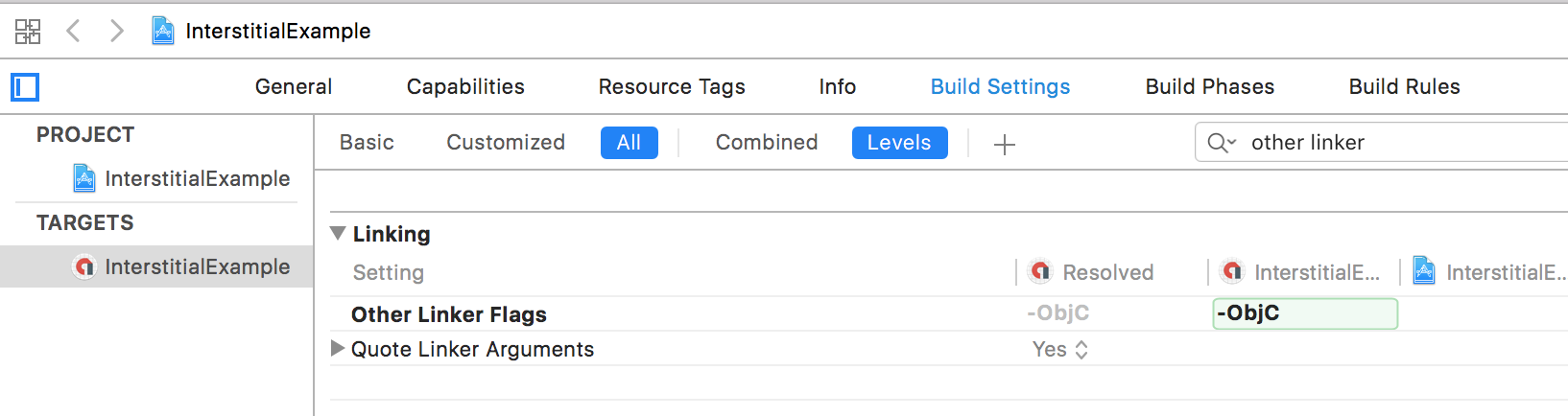
- Add the -ObjC linker flag to Other Linker Flags in your project's build settings:
Unity
If you are using Unity platorm for developing the app/game, you can use the unity package to import PremiumAd adapters in your app/game, download here.
Flutter
Run this command:
flutter pub add premium_ads
This will add a line like this to your package's pubspec.yaml (and run an implicit flutter pub get):
dependencies:
  premium_ads: ^0.2.6
Repository Setup Required: Due to Android Gradle Plugin 7+ limitations with dependencyResolutionManagement, you MUST add the Premium Ads Maven repository to your Flutter app's repository configuration.
⚠️ Critical: The plugin includes the repository in its own build.gradle, but AGP 7+ ignores module-level repositories by default.
Option 1: settings.gradle (Recommended for AGP 7+)
In your Flutter app's android/settings.gradle:
dependencyResolutionManagement {
    repositoriesMode.set(RepositoriesMode.PREFER_SETTINGS)
    repositories {
        google()
        mavenCentral()
        maven { url "https://repo.premiumads.net/artifactory/mobile-ads-sdk/" }
    }
}
Option 2: Root build.gradle (For older templates)
In your Flutter app's android/build.gradle:
allprojects {
    repositories {
        google()
        mavenCentral()
        maven { url "https://repo.premiumads.net/artifactory/mobile-ads-sdk/" }
    }
}
2. Set up PremiumAds Ad Unit in Google AdManager Mediation
2.1 Create PremiumAds Ad Network Company in GAM
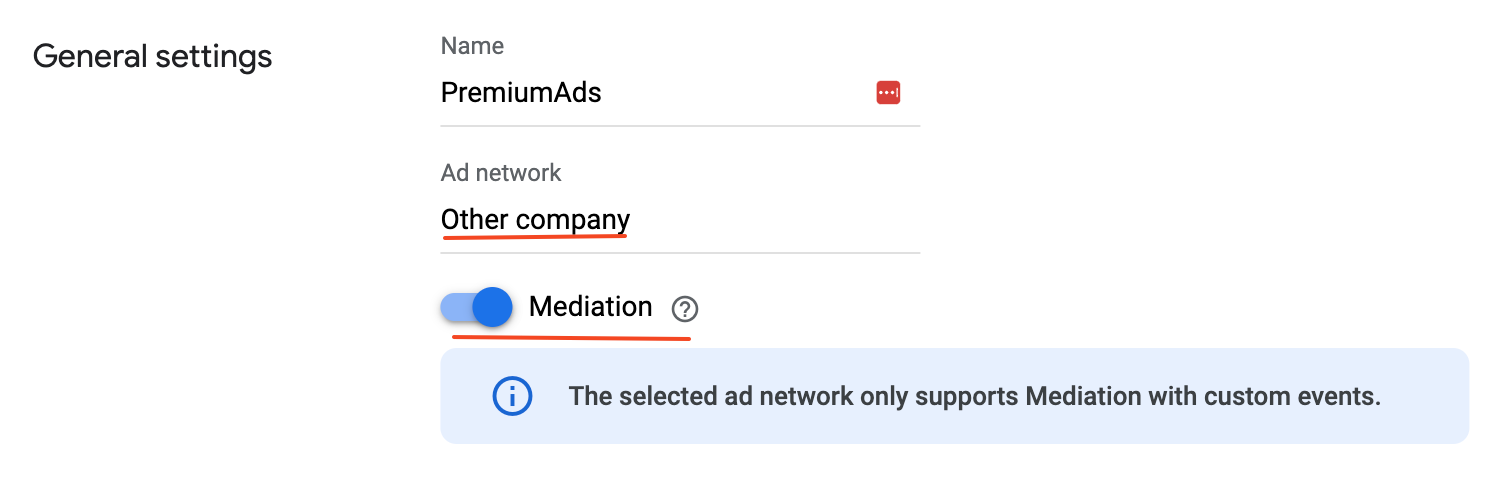
- Ad network: Other company
- Enable Mediation option
2.2 Add PremiumAds Yield partner
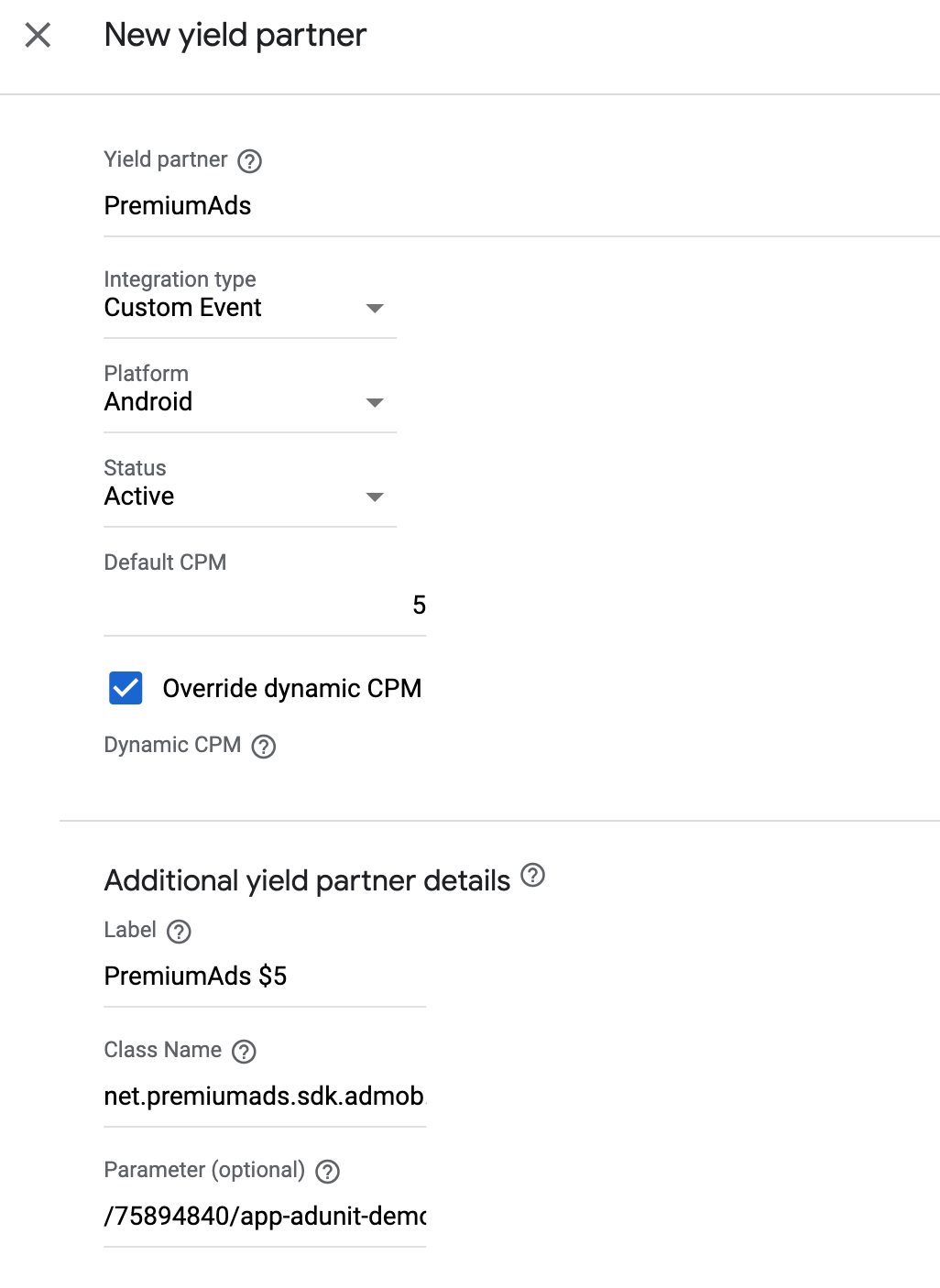
- Integration type: Custom Event
- Default CPM: Floor price
- Override dynamic CPM
- Class Name: Use the following class name depending on the ad unit format of the mediation group.
- Android
- Banner: net.premiumads.sdk.admob.PremiumBannerAd
- Interstitial: net.premiumads.sdk.admob.PremiumInterstitialAd
- Rewarded/Rewarded Interstitial(Beta) net.premiumads.sdk.admob.PremiumRewardedAd
- Native/Native advanced: net.premiumads.sdk.admob.PremiumNativeAd (Supported from version 2.2.7)
- App open: net.premiumads.sdk.admob.PremiumAppOpenAd (Supported from version 2.2.5)
- iOS
- Banner/Interstitial/Rewarded/Native advanced : GADMediationAdapterPremiumAds
- Android
- Parameter: PremiumAds ad unit id.
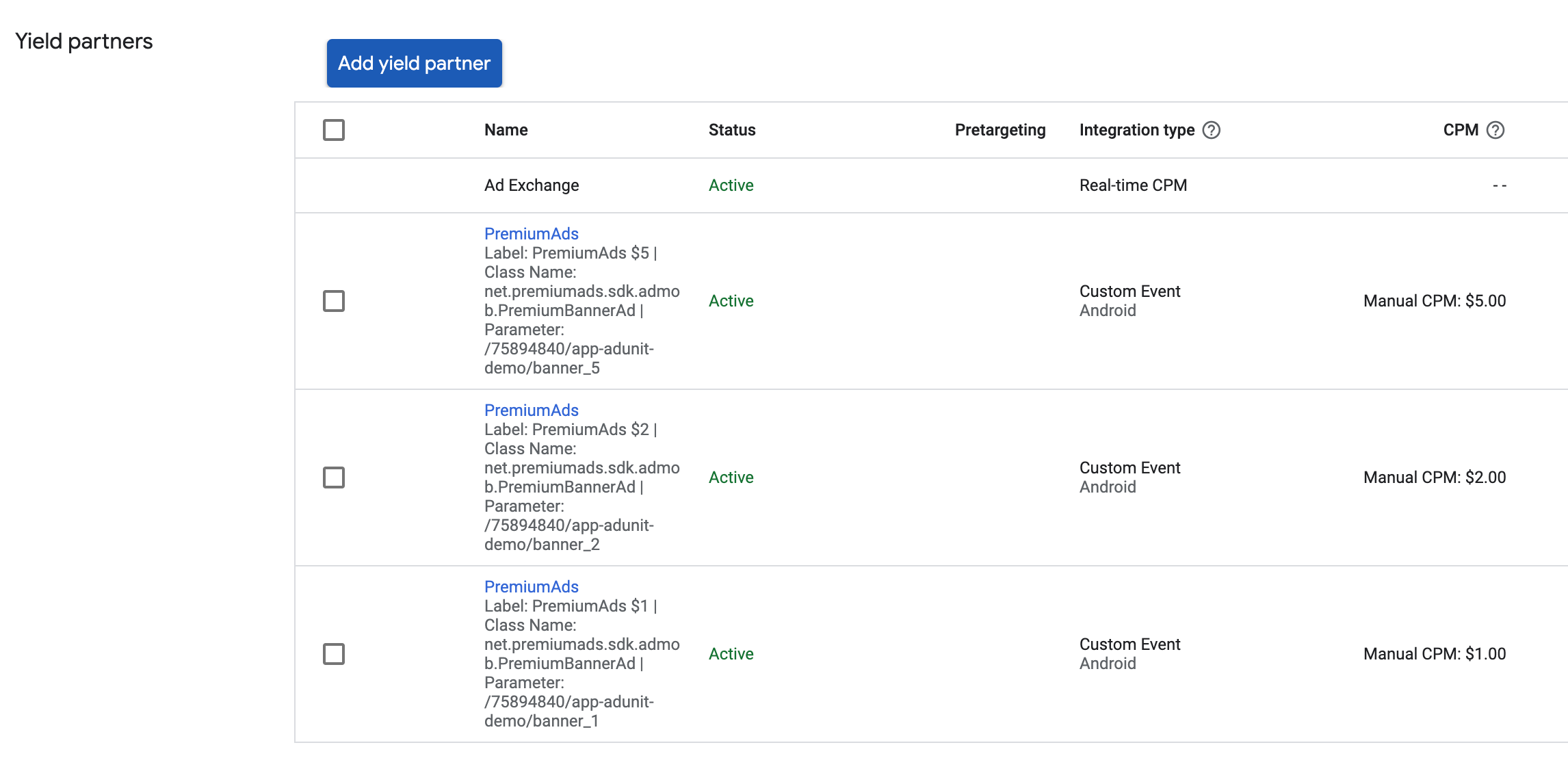
2.3 Setup example
3. GDPR Compliance
If you are not using any Consent Management Platform to handle privacy issues and managing user consent with your own solution, you have to inform GAM mediation and mediation partners about the consent.
- Android
- iOS
AdRequest.Builder builder = new AdRequest.Builder();
Bundle extras = new Bundle();
extras.putString("npa", "1");
builder.addNetworkExtrasBundle(AdMobAdapter.class, extras);
//for banner
builder.addNetworkExtrasBundle(PremiumBannerAd.class,extras);
//for interstitial
builder.addNetworkExtrasBundle(PremiumInterstitialAd.class,extras);
//for rewarded
builder.addNetworkExtrasBundle(PremiumRewardedAd.class,extras);
let request = GADRequest()
let extras = GADExtras()
extras.additionalParameters = ["npa": 1]
request.register(extras)
4. Tips for using the PremiumAds Google AdManager adapter
-
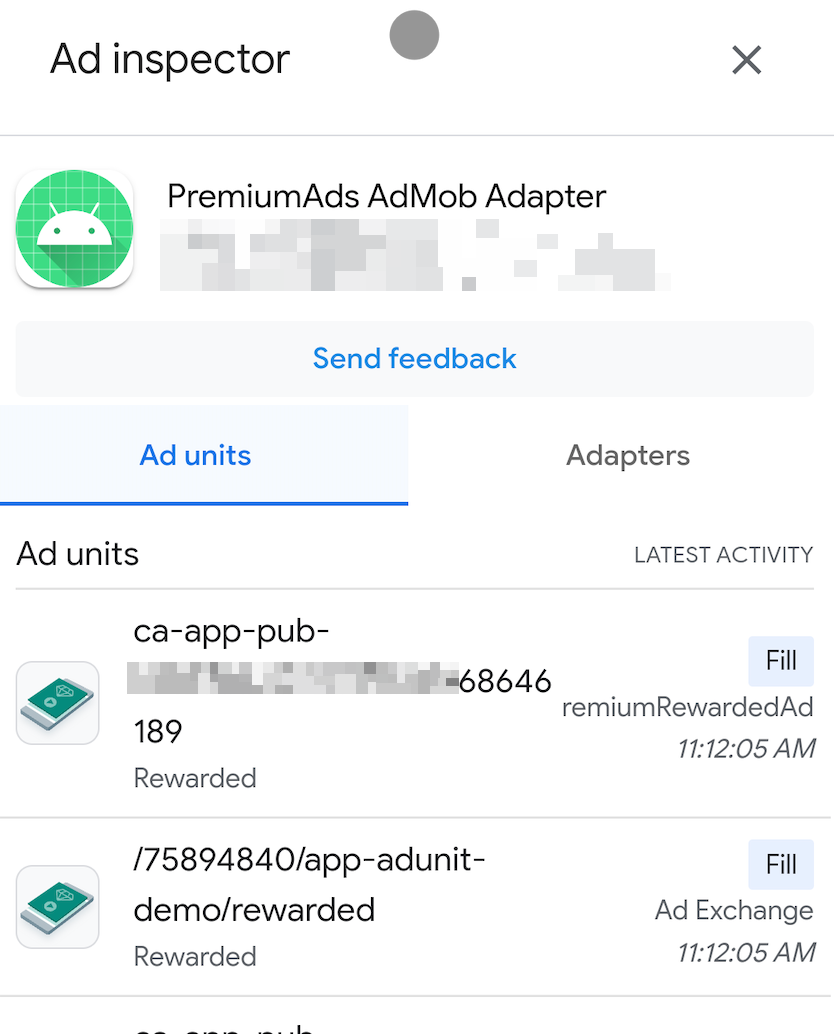
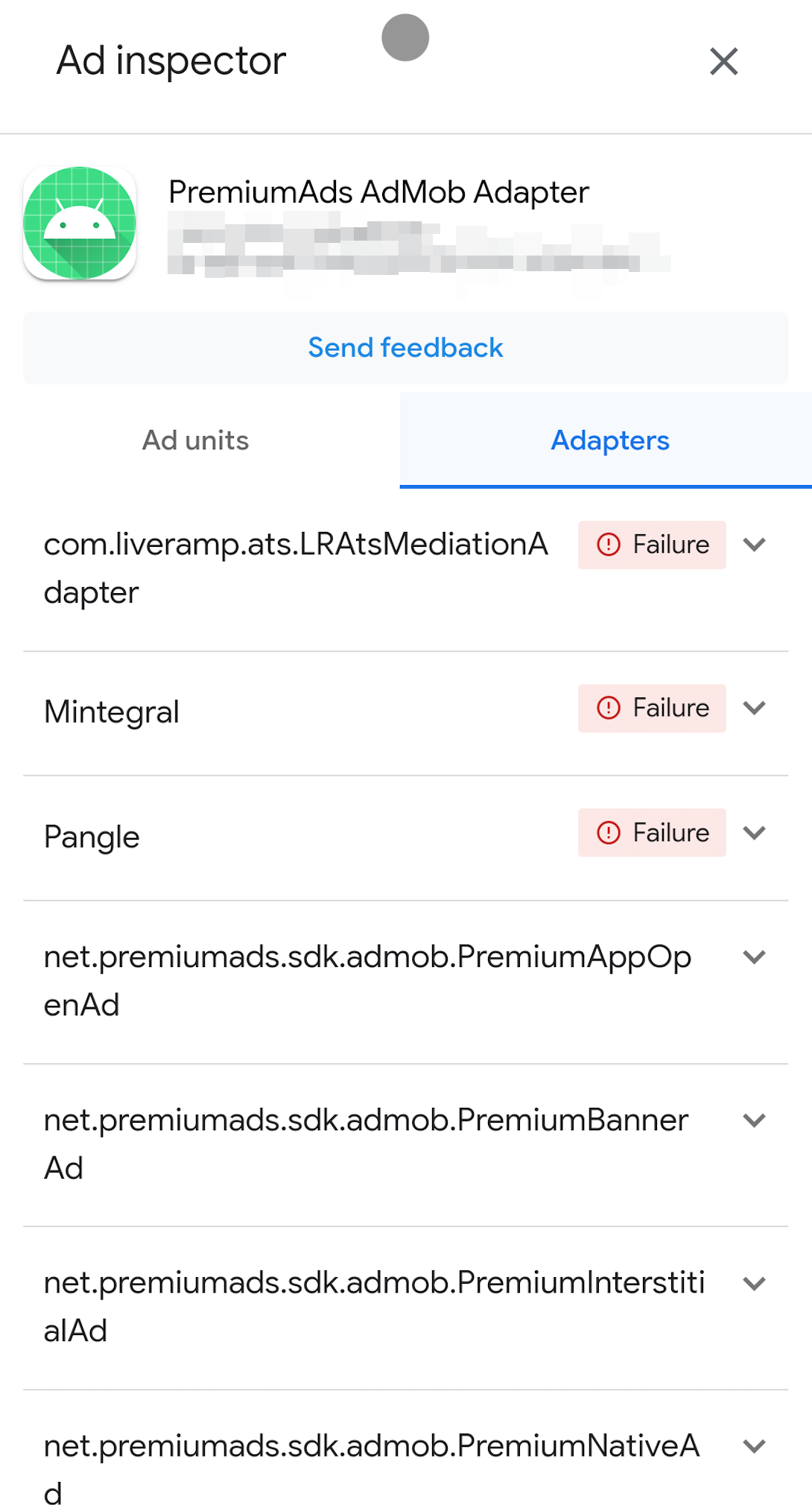
Use Ad Inspector (iOS | Android) to check the integration status and load ads from the Premium Ads Adapter.
-
-
Enable verbose logging if you need to view more information or debug issues with our SDK.
- Java
- Kotlin
- Swift
- Objective-C
import net.premiumads.sdk.PremiumAdSDK;

...
PremiumAdSDK.setDebug(true);
import net.premiumads.sdk.PremiumAdSDK

...
PremiumAdSDK.setDebug(true)
import PremiumAdsAdapter

...
PremiumAdSDK.setDebug(true)
#import <PremiumAdsAdapter/PremiumAdSDK.h>

...
[PremiumAdSDK setDebug:true];
- Enable test ads for your ads integration. It's recommended that you enable test ads during development so you can test clickthrough behavior without affecting your reservation campaigns' stats or charging advertisers on PremiumAds Exchange, see Test Ads.
5. Video tutorials
<iframe width="800" height="450" src="https://www.youtube.com/embed/jaya9yXZpHw" title="YouTube video player" frameborder="0" allow="accelerometer; autoplay; clipboard-write; encrypted-media; gyroscope; picture-in-picture; web-share" allowfullscreen></iframe>